
How Small Businesses Can Strengthen Email Security with Microsoft 365

In today’s digital landscape, email remains the most common entry point for cyberattacks. For small businesses, a single phishing email can lead to data breaches, financial loss, and reputational damage. Fortunately, Microsoft 365 offers a robust suite of tools that can help small businesses secure their email systems—without requiring a full-time IT staff. Why Email Security Matters Email is the lifeblood of business communication, but it’s also a prime target for attackers. From phishing and spoofing to malware-laden attachments, threats are constantly evolving. Small businesses often lack the resources to deploy enterprise-grade security solutions, making them attractive targets. Microsoft 365: Built-In Defenses for Small Businesses 1. Safe Attachments & Safe Links These features scan incoming emails in real time: Safe Attachments opens attachments in a secure sandbox to detect malicious behavior. Safe Links rewrites URLs to check for malicious destinations before users click. 2. SPF, DKIM, and DMARC These email authentication protocols help prevent spoofing: SPF (Sender Policy Framework) verifies that emails are sent from authorized servers. DKIM (DomainKeys Identified Mail) adds a digital signature to verify the sender. DMARC (Domain-based Message Authentication, Reporting & Conformance) builds on SPF and DKIM to enforce policies and receive reports on spoofing attempts. 3. Microsoft Defender for Office 365 This advanced threat protection tool provides: Anti-phishing protection Real-time detection of zero-day threats Automated investigation and response 4. Multi-Factor Authentication (MFA) MFA adds a second layer of protection beyond passwords. Even if credentials are compromised, attackers can’t access accounts without the second factor. 5. Conditional Access Policies Using Microsoft Entra ID (formerly Azure AD), small businesses can enforce rules like: Block access from risky locations Require MFA for sensitive apps Restrict access based on device compliance Policy and Procedure Essentials Technology alone isn’t enough. Small businesses should also implement clear policies: Require strong, unique passwords and use a password manager. Train employees to recognize phishing attempts. Regularly review email logs and threat reports. Document incident response procedures. Getting Started If you’re a small business using Microsoft 365, start by: Enabling MFA for all users. Reviewing your SPF/DKIM/DMARC setup. Turning on Safe Attachments and Safe Links. Scheduling regular security awareness training.
Me and my VPN Service: Always Together, Always Secure

In today’s digital age, securing your internet browsing and remote access to business resources is crucial. Whether you’re working from home, in the office, or on the go, having a VPN Service on your laptop, desktop, and mobile phone is one of the most important steps you can take to protect your data. Public Wi-Fi networks are a hotspot for bad actors who can easily target and intercept your traffic, potentially exposing sensitive information like passwords. With our ‘Lite’ solution, your VPN acts as a constant companion, ensuring your online activities remain private and secure, no matter where you are. Always on VPN Service: Ensuring Continuous Protection An always on VPN Service ensures that a user’s device is continuously connected to a secure network, providing encryption and protection for data transmitted over the internet. This is crucial for maintaining security, especially on untrusted networks. Michael Carter, a cybersecurity subject matter expert from Pax8 (our distributor), explains, “With the Lite solution of NordLayer, it’s just the member cost with core and premium, you’re going to have a combination of a member cost and a gateway cost.” This makes it easier for businesses to scale their VPN needs based on the number of users. Enhanced Security with the ‘Core’ Solution For enhanced security, our ‘Core’ solution offers a dedicated server with a static IP/Gateway and the ability to implement Conditional Access policies in your Microsoft 365 tenant, providing an additional layer of protection for your business resources. As Michael Carter noted, “Each one of those gateways can handle up to about 100 users at once,” making it a scalable and efficient solution for businesses of all sizes. Why a VPN Service with a Static IP Matters A static IP is crucial for businesses that require consistent and reliable access to their resources. Michael Carter explained the benefits of having a static IP: “That gateway is what gets you that static IP. So that you can deploy a stable and secure network infrastructure.” Ease of Deployment Deploying our VPN services is straightforward and user-friendly. Businesses can quickly set up and start using their VPN services within hours. The process involves creating new organizations, adding users, and setting up gateways, which provide the static IPs necessary for secure and efficient network connectivity. This ensures that businesses can achieve optimal performance and security without significant complications or delays. Ideal Solution for Small Office/Home Office (SOHO) Users Our VPN service is an ideal solution for small businesses or businesses with a distributed workforce or work-from-home setup. Small office / home office (SOHO) users benefit immensely from having an always on / always encrypted VPN solution, which ensures that their online activities are continuously protected. The added possibility of a static IP address and conditional access security policies tied to their Microsoft 365 accounts allows for a robust security framework. This setup serves as an excellent alternative to basic hardware firewalls, offering enhanced protection and flexibility. A Suite of Solutions from Nord Security In addition to NordLayer, SyncraTec also offers NordPass — a password management solution. A Password Manager can help you improve your cybersecurity by generating and storing unique, complex passwords for each account. You only need to remember one master password to access your Password Manager, and it will automatically fill in your login details for you. This way, you can avoid password fatigue, phishing, and keylogging attacks, and keep your online accounts secure. A layered approach to cybersecurity is always a good idea. In addition to a VPN Service and a password manager, SyncraTec offers a suite of cybersecurity solutions designed for small businesses. We offer Sync-Secure Essentials, Advanced, and Compliance to give you the level of security you need depending on your business needs. Our Sync-Secure offerings come with managed IT services you can trust; we’ve been in business locally in Bucks County and Montgomery County, PA for over twenty years. Conclusion In conclusion, securing your internet browsing and remote access to business resources with a VPN is paramount in today’s digital landscape. Whether you opt for our ‘Lite’ or ‘Core’ solution, you can rest assured that your data will remain private and secure, no matter where you are. With features like static IPs, dedicated servers, and Conditional Access policies, our VPN services are designed to meet the needs of modern businesses, providing robust security and ease of use. By integrating our VPN solutions into your daily operations, you ensure that your digital presence is always protected, allowing you to focus on what truly matters – growing your business and serving your customers.
Password Managers: An Easy-to-Implement Tool for Boosting Small Business Security
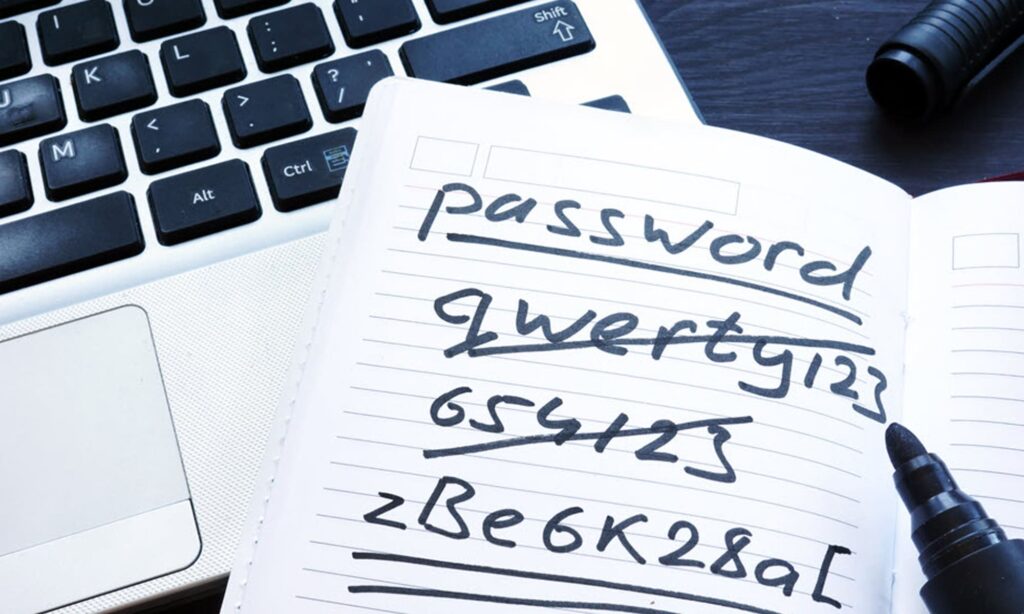
In the digital age, the security of your business’s data is paramount. One of the most basic yet crucial aspects of this security is the use of passwords. This article will discuss why using a password is important for small businesses and how a password manager can significantly enhance your business’s security. Why Passwords Matter Passwords act as the first line of defense against unauthorized access to your business’s sensitive data. They protect your financial information, customer data, and business strategies from being accessed by cybercriminals. Not only is having a password management system a regulatory requirement in certain industries, but it is also a widely accepted security safeguard. The Risks of Saving Passwords to Web Browsers While it may seem convenient to save your passwords to your web browser, this method is not secure. Browsers are susceptible to various types of attacks, such as phishing and malware, which can lead to your passwords being stolen. Therefore, it’s recommended to avoid saving passwords to web browsers and instead use a dedicated password manager. The Need for Complex Passwords Using complex passwords is another important aspect of password security. A complex password is one that is difficult for others to guess or for a computer program to figure out. It should be a combination of uppercase and lowercase letters, numbers, and special characters. The more complex your password, the harder it is for cybercriminals to crack it. The Dangers of Reusing Passwords Reusing passwords across multiple accounts is a common but dangerous practice. If one of your accounts is compromised, all your accounts become vulnerable. Therefore, it’s crucial to use a unique password for each account. Migrating Passwords When switching to a new application or browser, it’s important to safely migrate your passwords. This process should be done securely to prevent any data leakage. A password manager can help with this process by securely storing your passwords and automatically filling them in when needed. Password Management A password management system can help you create, store, and manage your passwords. It can generate complex passwords, store them securely, and fill them in automatically. This not only enhances security but also makes managing multiple accounts easier. Multi-Factor Authentication Even with strong passwords, it’s essential to use multi-factor authentication (MFA). MFA adds an additional layer of security by requiring users to provide two or more verification factors to gain access to a resource such as an application, online account, or a VPN. This means that even if your password is compromised, an attacker would still need your second factor – often a physical device like a smartphone – to access your account. Protection Against Ransomware Having strong and unique passwords and implementing multi-factor authentication can provide protection against ransomware attacks. Ransomware is a type of malicious software that encrypts a victim’s files and then demands a ransom to restore access. By securing your accounts with strong passwords and MFA, you can reduce the risk of such attacks. Compliance While a password manager is not explicitly required for either HIPAA or SOC 2 compliance, it can significantly aid in meeting the requirements set forth by both. For instance, HIPAA mandates that covered entities must implement procedures for creating, changing, and safeguarding passwords, while SOC 2 requires companies to demonstrate how they manage credentials for infrastructure and software, including removing access once it’s no longer needed. A password manager can assist in these areas by generating complex, unique passwords for each account, storing them securely, and auto-filling them when needed, thereby reducing the risk of human error and enhancing security. Moreover, the password manager can assist in verifying that the person or entity seeking access, whether to ePHI for HIPAA or to infrastructure and software for SOC 2, is indeed the one claimed. This is particularly important in preventing unauthorized access to sensitive data, be it patient data for HIPAA or infrastructure and software data for SOC 2. While we realize that compliance programs aren’t the end-all and be-all, they do tend to point us in the direction of increased security, which is always a good thing. In conclusion, passwords play a vital role in protecting your small business’s data. By understanding the importance of passwords and implementing effective password management practices, you can significantly enhance your business’s security.
Coffee Shop VPN
Reduce the risk of browsing the internet or working on a corporate-owned laptop on a public WiFi connection With more employees working remotely, and now back to traveling for business and connecting to public WiFi in airports or hotel rooms, it is important to revisit the security concerns of working on public WiFi connections. Browsing the internet or working on a public wifi connection can pose several cybersecurity risks to your privacy and sensitive information. One possibility is that the WiFi connection is not secure. Even worse is an imposter WiFi connection, with a similar name to a legitimate WiFi connection specifically designed to trick you into connecting – these are referred to as “spoofed” WiFi connections or “rogue” or “evil twin” WiFi networks. Once connected to an unsecured or spoofed WiFi connection, you would be vulnerable to Man-in-the-Middle (MITM) attacks. A MITM attack is a form of eavesdropping where hackers can gain access to networks, redirect traffic on a network, and intercept data while in transmission. This could lead to compromised account credentials or loss of other confidential information. In addition to eavesdropping or altering your private communications, hackers could also inject malicous code into the data stream which the unsuspecting user could then download onto their machine as malware. Use a VPN Service One way to protect yourself from these public WiFi risks is to use a VPN service to encrypt your internet connection and protect your sensitive information. By encrypting your internet connection, a VPN service can prevent hackers from intercepting your data and stealing your personal information or corporate data. A VPN service is different than a Remote Access VPN connection or a Site-to-Site VPN connection. A VPN service allows you to connect to the internet through a public WiFi connection to a server provided by a service that you would subscribe to. When you connect to the VPN service, your device creates a secure connection to the VPN server. All of your internet traffic is then routed through this secure connection, which is encrypted to prevent anyone from intercepting your data. SyncraTec is committed to helping clients setup cybersecurity protection in accordance with the guidance provided by the Center for Internet Security (CIS) Controls framework, referred to as CIS Controls v8 (ref.: http://www.cisecurity.org/controls/). Browsing the internet via a public WiFi connection would be covered by CIS Critical Security Control 12 — Network Infrastructure Management. Safeguard number 12.6 cites Use of Secure Network Management and Communication ProtocolsUse secure network management and communication protocols (e.g., Wi-Fi Protected Access 2 (WPA2) Enterprise or greater). If you’re not sure if your local coffee shop WiFi is WPA2 Enterprise or greater, use a VPN service to encrypt your connection. Safeguard number 12.7 cites Ensure Remote Devices Utilize a VPN and are Connecting to an Enterprise’s AAA InfrastructureRequire users to authenticate to enterprise-managed VPN and authentication services prior to accessing enterprise resources on end-user devices. This control states that a VPN connection should be in place prior to connecting to corporate IT resources. Ask SyncraTec about how a VPN service can be provided for end-users to protect internet browsing on public WiFi networks. SyncraTec is a Managed IT Services Provider in the Philadelphia area focused on cybersecurity, compliance, and business productivity for small businesses.
Seven Reasons Why SyncraTec Recommends the SonicWall TZ 210 Firewall
3/14/2012 update: Dell announces intent to acquire SonicWALL, Inc. Security and data protection are two facets of our “Starter Server” and “Growth Server” computer network solution offerings where compromise is not an option. Most of our clients are price-sensitive to a degree, but not so much that they’d be willing to cut corners when it comes to security. After researching many of the available firewall devices on the market today, we have concluded that the SonicWall TZ 210 comprehensive firewall device offers the most bang for the buck. It has many of the capabilities that sophisticated small businesses need and is suitable even if e-commerce or locally-published web applications are primary concerns. Wired and Wireless. The TZ 210 has both wired and wireless capabilities Active/Passive Failover. Active/passive failover in case of hardware or software failure. VPN. Can deliver a VPN solution to meet all of the needs of a business of ten users or more and can scale to thousands of end points. While securing your traffic through the VPN connection it also decontaminates the traffic running over it because it is checked in real-time. Multiple ports for WAN and LAN networks. The TZ 210 can easily handle traffic for the LAN, WAN and if needed a DMZ all in one appliance. It can also deliver a wireless signal using 802.11 N on any subnet needed. We regularly deploy this device on a network with a Windows Small Business Server delivering DNS to the network while the SonicWall TZ 210 delivers a separate wireless signal on a different subnet for guests on the network. The guests are able to take advantage of a fast wireless Internet access while the business network remains private. The addresses for the wireless network are given to the client by the DHCP capabilities of the firewall. Services. Along with traditional firewall functionality, Sonicwall offers a wide range of security services provided through the TZ 210 such as Anti-Malware, Content Filtering, Intrusion Prevention, Anti-Spam, and Application Intelligence. The services are available on an annual subscription basis either separately or bundled. Gigabit Speed. Did I mention that the SonicWall TZ 210 does all of this using Gigabit connectivity? Reasonable Price. The whole package including the first year’s subscription to the bundled services costs under a thousand dollars. That’s why we believe this device is truly the answer for small business network security.